

Word Finder is a simple but surprisingly engaging word game where you connect letters to discover hidden words. Look carefully at the letter board, draw a line between the letters you want to use and see how many valid combinations you can find before the time runs out.
You can choose from six different languages, making the game a fun way to practise vocabulary beyond English. Every word you discover adds to your score, so keep searching for new combinations and try to improve your performance with each round.


How to Play Word Finder
Word Finder challenges you to recognize words hidden among a collection of letters. Rather than typing your answers or rearranging tiles, you create words by connecting letters directly on the game board.
The idea is easy to understand, but finding every possible word is another matter. Familiar combinations may stand out immediately, while longer words often require a more careful look at the available letter connections.
Choose Your Language
Before starting, select the language you want to play in. Word Finder offers six language options, allowing you to search for words in a vocabulary you're familiar with or practise another language.
Examine the Letter Board
Look carefully at the letters displayed on the screen. Try spotting familiar combinations and short words before making your first move.
Connect Letters to Make Words
Use your mouse to draw a continuous line between letters and form a word. Follow the available connections on the board and experiment with different letter sequences.
Find Words and Earn Points
Continue searching for valid words to increase your score. Remember that the game has a time limit, so try to balance careful observation with quick decisions.
It's tempting to spend most of your time searching for one impressive word, but shorter combinations are often easier to recognize. Finding several simple words can keep your score moving while you study the board for more difficult possibilities.
What Makes Word Finder Interesting?
The game combines word recognition, observation and quick decision-making in a straightforward format that doesn't require complicated rules.
Play in Six Languages
Word Finder gives you the option to explore different vocabularies. You can stick with the language you know best or try another one for an additional challenge. The letter-connection gameplay remains easy to understand.
Race Against the Clock
Every round encourages you to discover words before your available time expires. The countdown adds a little pressure and makes quick recognition just as useful as a strong vocabulary.
Word Finder Tips & Strategies
You don't need an enormous vocabulary to improve at Word Finder. Learning how to scan the board and recognize familiar letter patterns can make a noticeable difference.
Begin With Familiar Words
Look for common short words before attempting more complicated combinations. This helps you get comfortable with the board and identify useful letter connections.
Explore Different Directions
Don't focus on only one corner of the board. Check the edges, centre and other starting positions for words you might have missed.
Recognize Word Endings
Familiar endings such as S, ED, ER and ING can help you notice possible word families when the required letter connections are available.
Change Your Starting Letter
If you're struggling to find another word, stop examining the same sequence. Start from a different letter and look for new patterns.
Watch Your Remaining Time
Avoid spending too much time on a single difficult word. When the clock is running down, concentrate on combinations you can recognize quickly.
Think in Word Families
Once you've discovered a word, look for related forms. Plurals and common variations may reveal additional answers if the board supports them.
How to Find More Words by Connecting Letters
A useful way to approach Word Finder is to begin by identifying vowels. Letters such as A, E, I, O and U often help you recognize possible combinations with nearby consonants.
For example, if you notice the letters C, A and T connected in the correct order, you may be able to form CAT. From there, look for additional letters that could create longer combinations, such as CATS or CATCH, provided the board contains the necessary connections.
The important part is that the letters must form a valid path within the game's rules. Recognizing a word isn't enough if you can't connect its letters on the board.
With practice, you'll start recognizing these patterns more quickly, allowing you to discover words without examining every possible path.
Word Finder vs. Boggle and Word Search
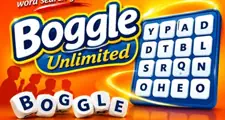
Word Finder shares some similarities with Boggle Unlimited. Both games encourage you to discover words by following letter connections rather than arranging individual tiles on a board.
Traditional word search puzzles usually ask you to locate complete words already hidden in a grid. Word Finder feels more flexible because you actively connect letters to build the words you recognize.
The language selection is another interesting feature. Instead of being limited to English, you can explore word combinations in other available languages while keeping the same familiar gameplay.
Why I Like This Style of Word Game
What I enjoy about letter-connection games is how quickly a board can change from looking completely random to revealing several familiar words.
I usually begin with the easiest combinations, then examine the same letters from another direction. It's surprising how often a word becomes obvious after you've stopped concentrating on the first pattern you noticed.
The countdown makes each round more engaging, but the controls remain simple enough that you can concentrate on finding words rather than learning complicated mechanics.
I would recommend Word Finder to anyone who enjoys Boggle-style puzzles, word searches or vocabulary challenges that reward observation and quick thinking.
Frequently Asked Questions
What is Word Finder?
Word Finder is an online word game where you connect letters on a board to form valid words and earn points.
How do I connect letters in Word Finder?
Use your mouse to draw a line between letters in the correct order. Follow the connections allowed by the game to create a word.
Can I play Word Finder for free?
Yes. You can play Word Finder directly in your browser on this page without purchasing or downloading the game.
Does Word Finder have a time limit?
Yes. The game challenges you to find as many words as possible before the available time runs out.
Can I play Word Finder in different languages?
Yes. The game includes six language options, allowing you to practise finding words in different vocabularies.
How can I improve my Word Finder score?
Start with familiar short words, look for common letter patterns and scan different areas of the board. Try not to spend too much time on one difficult word.
Ready to Find Your Next Word?
Every Word Finder round gives you another opportunity to discover combinations hidden among the letters. Some words will stand out immediately, while others require a closer look.
Choose your language, connect the letters and see how many words you can find before the timer reaches zero.
WordScramble.eu provides free browser games for entertainment and educational purposes only. Some games are self-hosted while others are embedded from third-party providers. All trademarks, logos, and game content remain the property of their respective owners. WordScramble.eu is not affiliated with, sponsored or endorsed by Hasbro, Mattel, or the official SCRABBLE® brand.
About · Contact · Disclaimer · Terms · Privacy Policy · DMCA
© 2026 | WordScramble.eu